Supplier-based ordering
Create purchase orders from the supplier articles your operation actually buys.
 Cost EssentialsKitchen Management
Some content on this page is shown in English while translations are being prepared.
Bring ordering and goods receipt into the same operational flow.
Each module uses the same Cost Essentials foundation and keeps the correct organisation, location and outlet context where relevant.
This product image is temporarily unavailable. Explore the workflow description below.
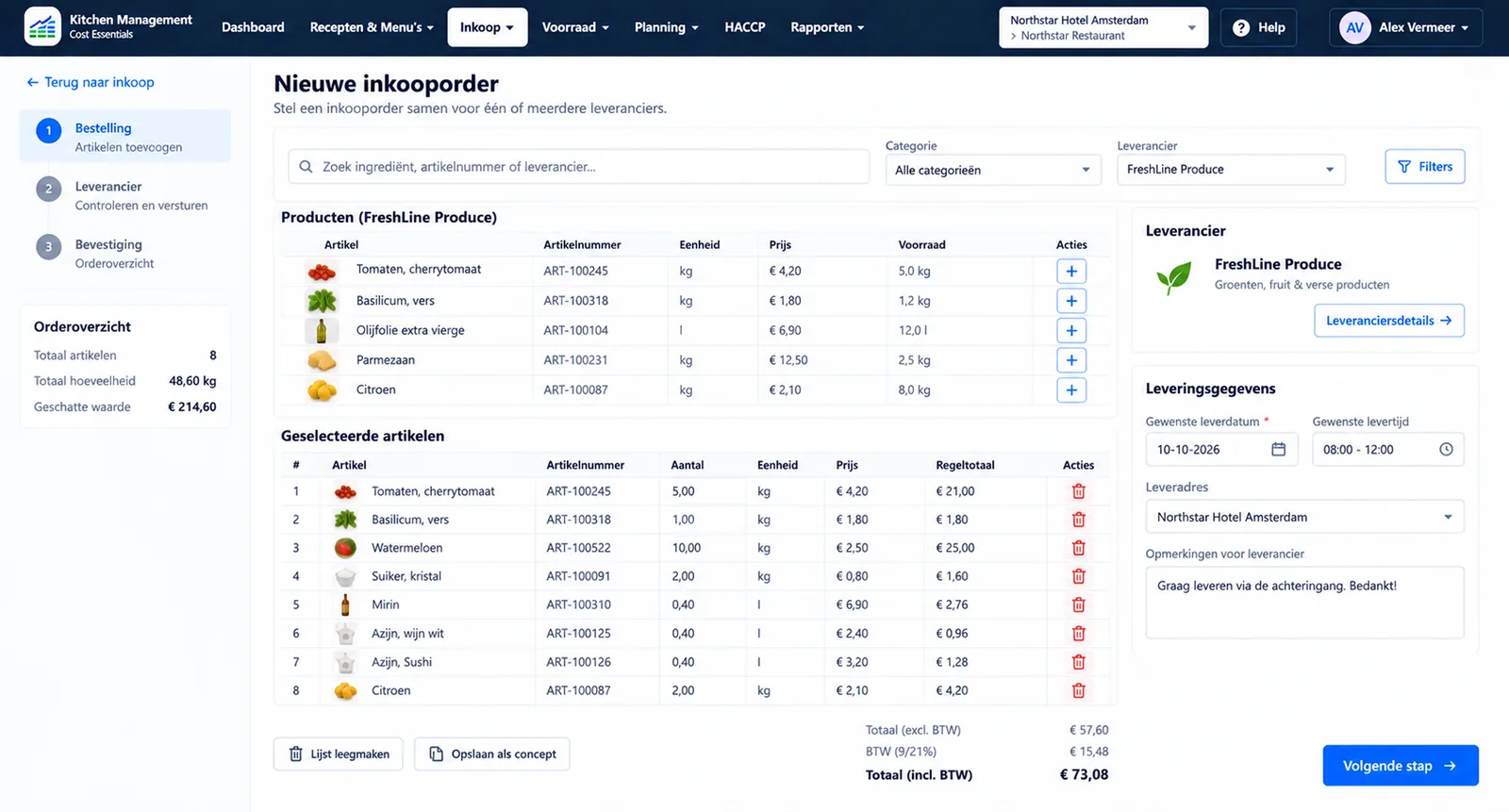
Create supplier-based purchase orders, receive deliveries against them and keep order and receipt data connected to the relevant operational scope.
Create purchase orders from the supplier articles your operation actually buys.
Use dedicated purchase-order and goods-receipt records instead of treating ordering and receiving as unrelated activities.
Keep delivered quantities and receiving information available for operational review.
The purchase order records what the kitchen requested. An order quantity is not a received quantity.
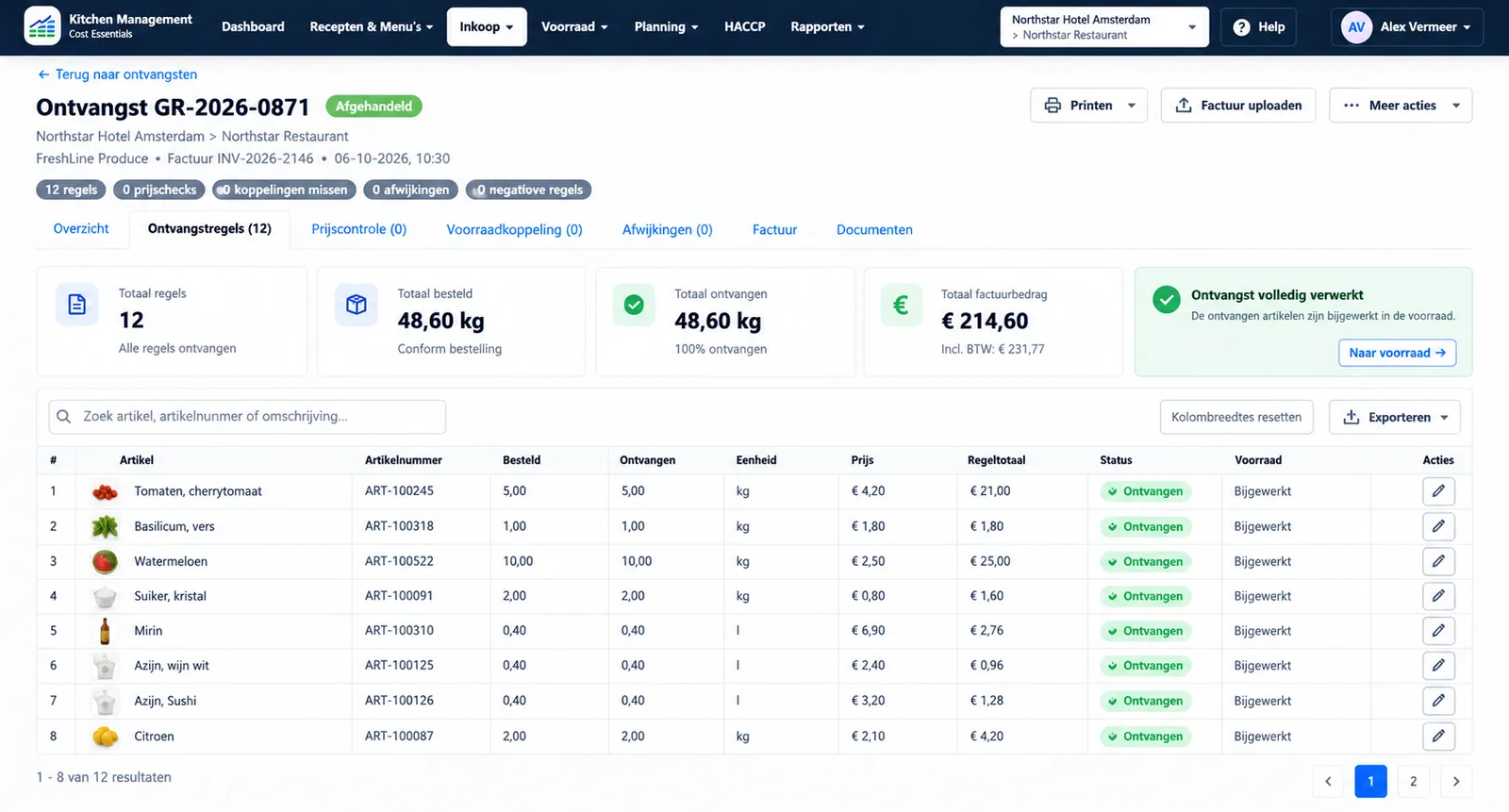
Receiving records what actually arrived. Compare delivered articles and quantities with the order.
A difference stays visible for a person to assess. This illustration explains the relationship between records.
Order lines belong to a purchase order with its supplier and outlet context. The same article structure supports the detail your kitchen needs when buying.
This product image is temporarily unavailable. Explore the workflow description below.
The goods receipt is a separate record linked to the order. Preserve delivered quantities so differences can be reviewed without replacing the original order.
This product image is temporarily unavailable. Explore the workflow description below.
Supplier, articles and ordered quantities
What physically arrived
The differences that need attention

Use a consistent product foundation for the recipes, ingredients and purchasing information your kitchen teams rely on.
Purchasing and receiving are modelled as connected but distinct operational records.
Structured purchase-order records provide the header context for each supplier order.
Capture ordered articles, quantities, units and purchasing detail line by line.
Register the delivery as its own operational event rather than overwriting the original order.
Capture what was actually received and preserve the detail required for review.
Build a purchase order with supplier, outlet context and order lines based on purchasing data.
Record the goods receipt and the quantities that actually arrived.
Keep receiving information connected to the same supplier and article foundation used by the rest of the platform.
This product image is temporarily unavailable. Explore the workflow description below.
No. Purchase orders and goods receipts are connected but distinct operational records.
Supplier articles are part of the shared product foundation used by purchasing and recipe-related workflows.
Supplier articles, ingredients, recipes, organisation structure and review states can support multiple workflows instead of being recreated for every task.
Core modules are included in the all-in pricing model rather than sold as separate operational add-ons.