Professional kitchen management

Control costs. Run kitchens better.

Connect recipes, purchasing, receiving, stock, suppliers and food safety in one operational platform built around professional kitchens.

Connected workflowsUnlimited usersAll core modules included
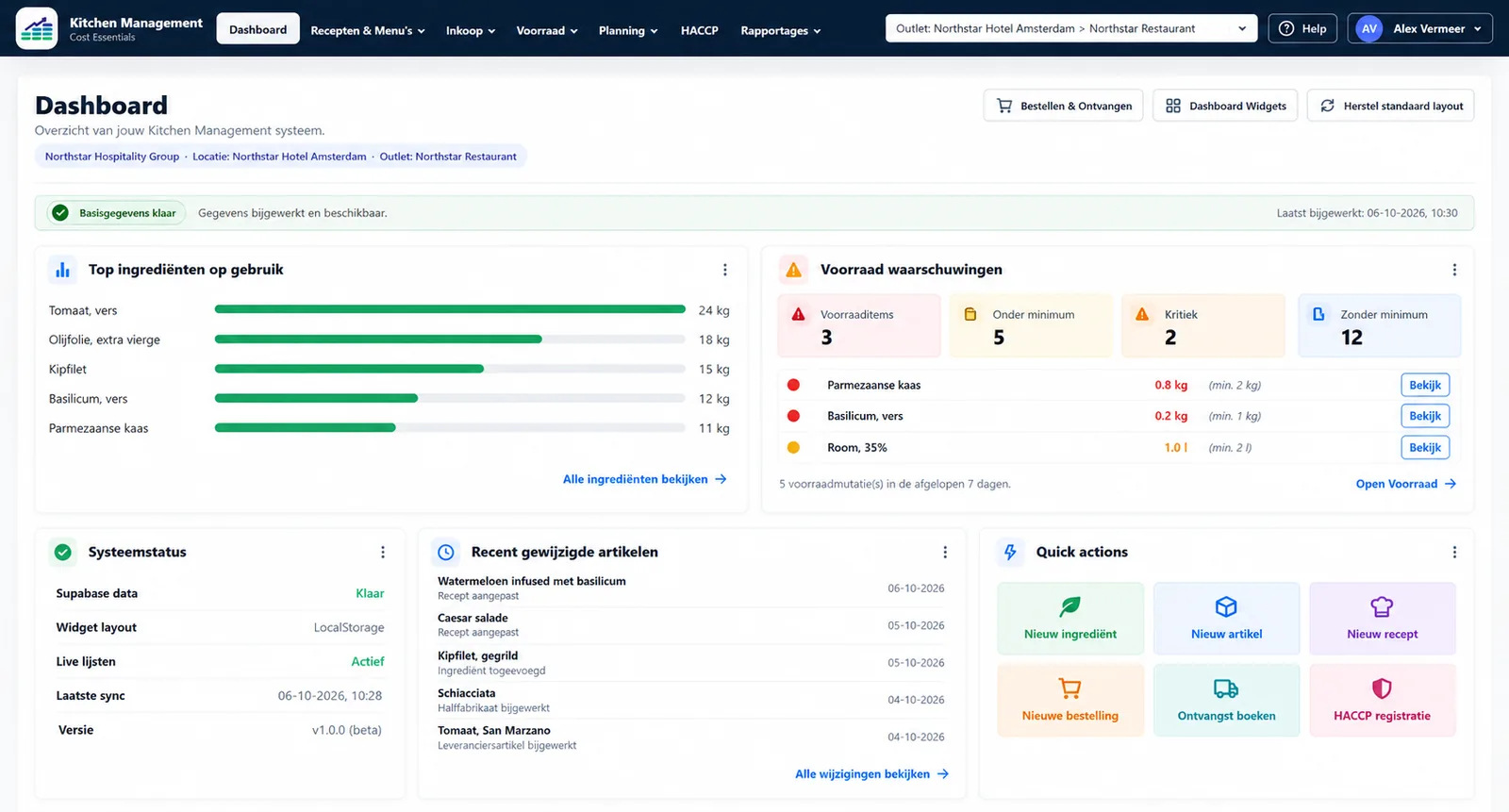
Cost Essentials dashboard using fictional hospitality demo data
Kitchen operations overviewSelect image to enlarge ↗Demo interface · fictional data · Dutch-language view
Explore the product

Move through the workflows your kitchen already runs every day.

Switch between key parts of Cost Essentials and see how the same operational foundation supports different tasks.

Operational overview

See what needs attention before service starts.

Bring stock warnings, recent activity and quick actions into one operational starting point.

Explore this workflow →
Cost Essentials dashboard using fictional hospitality demo data
DashboardSelect image to enlarge ↗Demo interface · fictional data · Dutch-language view
One platform, several operational views

See the same kitchen operation from different angles.

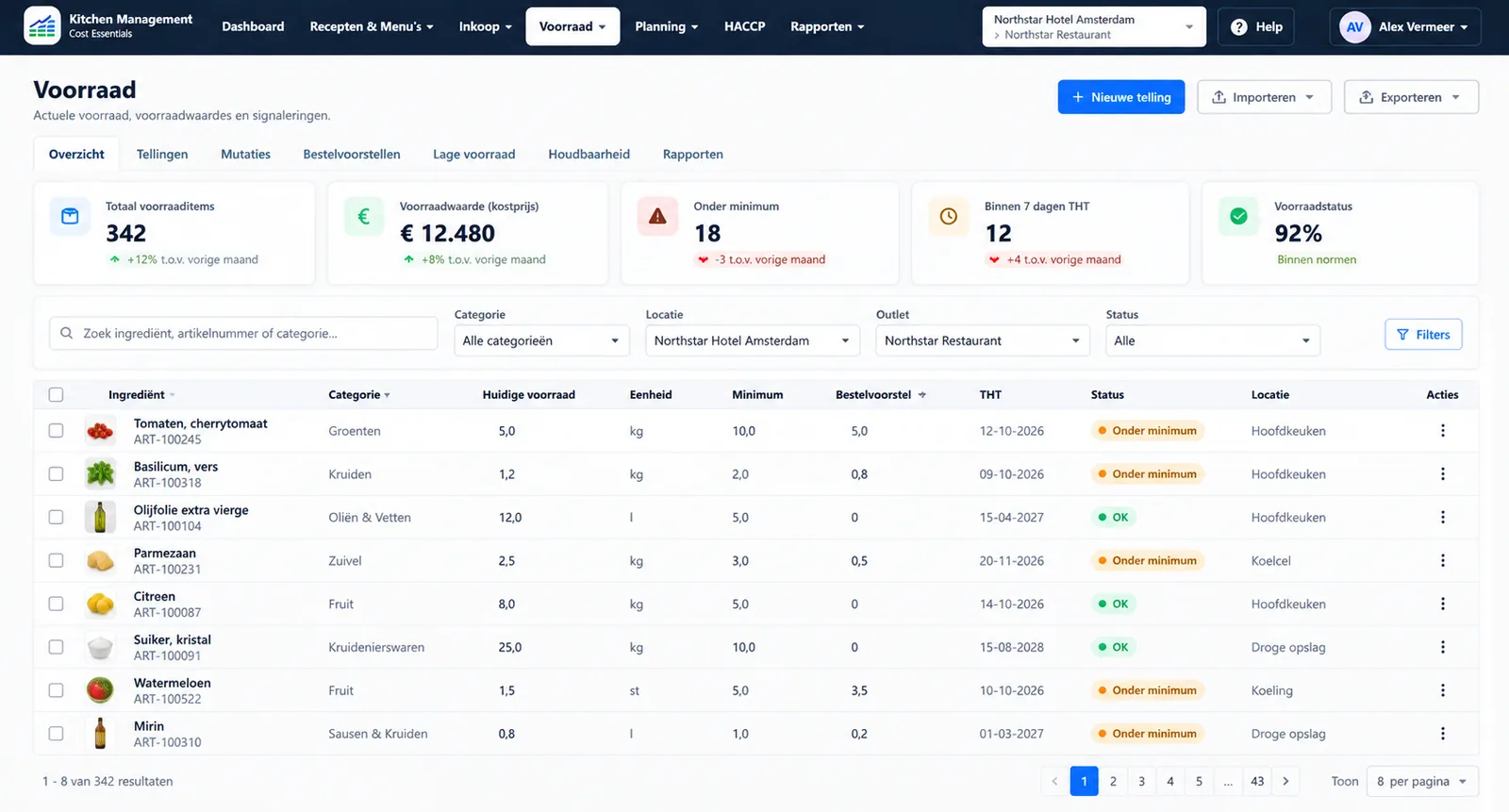
Recipes, cost, purchasing and inventory are different workflows, but they are built on the same shared data foundation.

01Dashboard
Cost Essentials dashboard using fictional hospitality demo data
Kitchen operations overviewSelect image to enlarge ↗Demo interface · fictional data · Dutch-language view
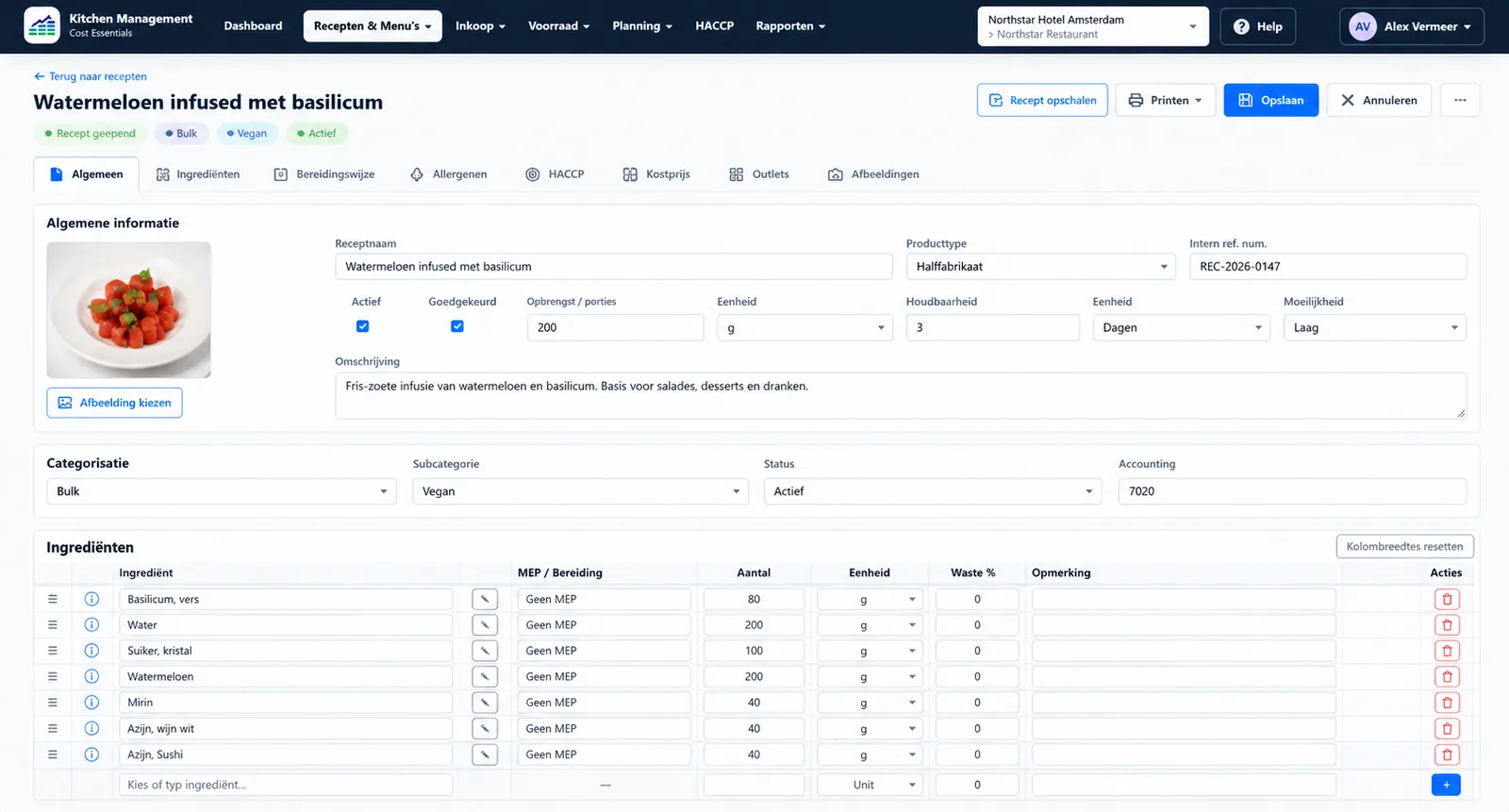
02Recipes & Food Cost
Recipe workspace with ingredients, quantities, yield and preparation tabs; fictional demo data
Recipes & Food CostSelect image to enlarge ↗Demo interface · fictional data · Dutch-language view
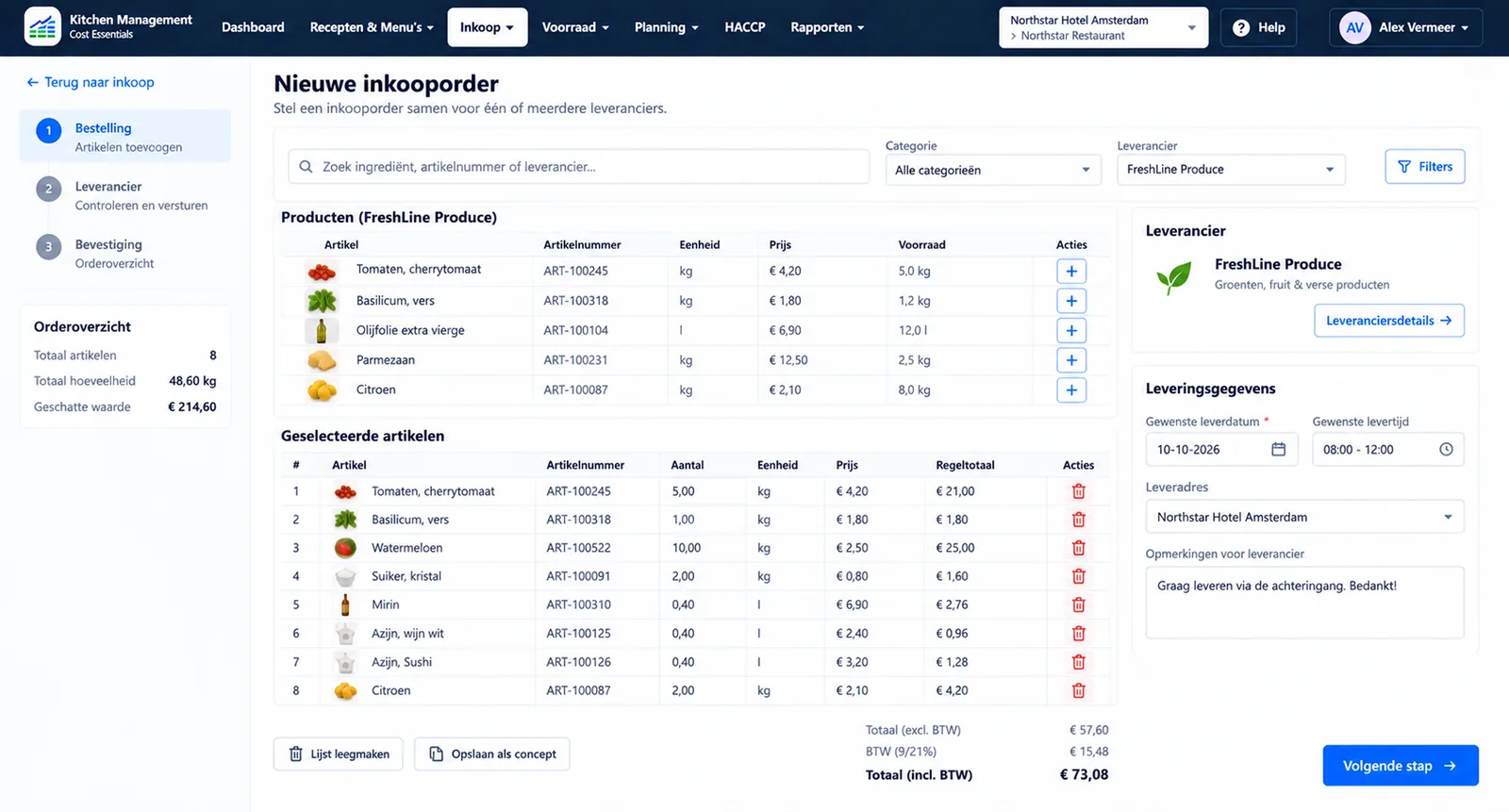
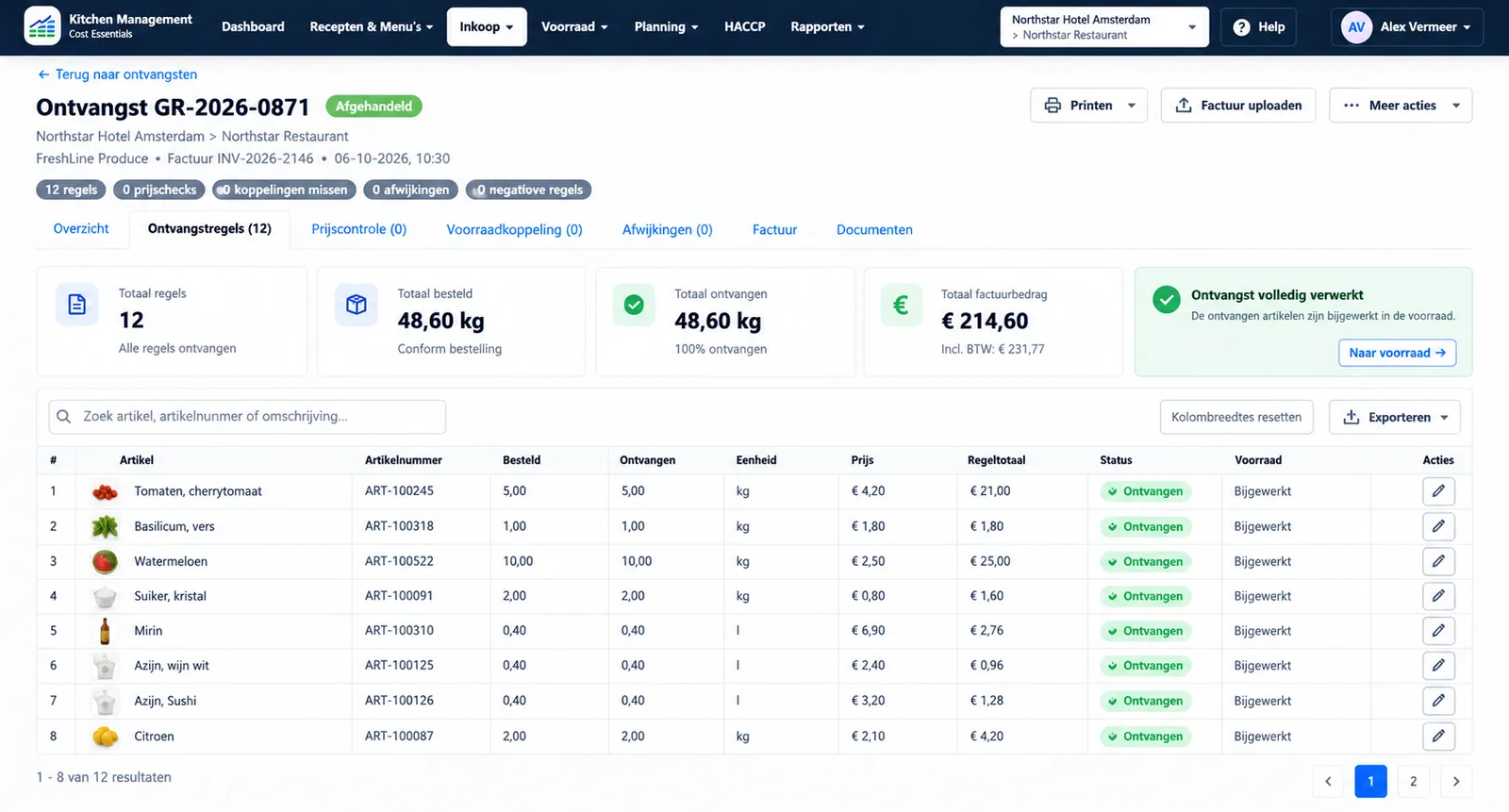
03Purchasing & Receiving
Goods receipt with delivered quantities for review; fictional demo data
Purchasing & ReceivingSelect image to enlarge ↗Demo interface · fictional data · Dutch-language view
Connected workflows

See how the pieces connect.

Follow the source records behind recipes, purchasing and receiving. Each workflow keeps its own purpose while sharing the same product foundation.

Explore the platform →
Supplier articlePack · unit · source
IngredientOne operational identity
RecipeQuantities · yield · steps
Purchase orderRequested quantities
Goods receiptDelivered quantities
InventoryStock · counts
Human reviewCheck the relationship
Recipe costIngredient cost basis
Outlet contextCompany · location · outlet

Supplier articles link to operational ingredients. Those ingredients can be reused across recipes.

Shared recordsHighlighted relationshipHuman control stays visible
Workflow illustration · explore the relationships between source data, kitchen operations and review.
Kitchen team discussing preparation before service. AI-generated illustrative scene.
Before serviceA shared view for your team
Illustrative kitchen scene · AI-generated
Made for the kitchen

More time for the work that matters.

Recipes, purchasing, stock and preparation belong to the same daily operation. Keep the information together so your team can focus on the kitchen.

Explore your operating model →
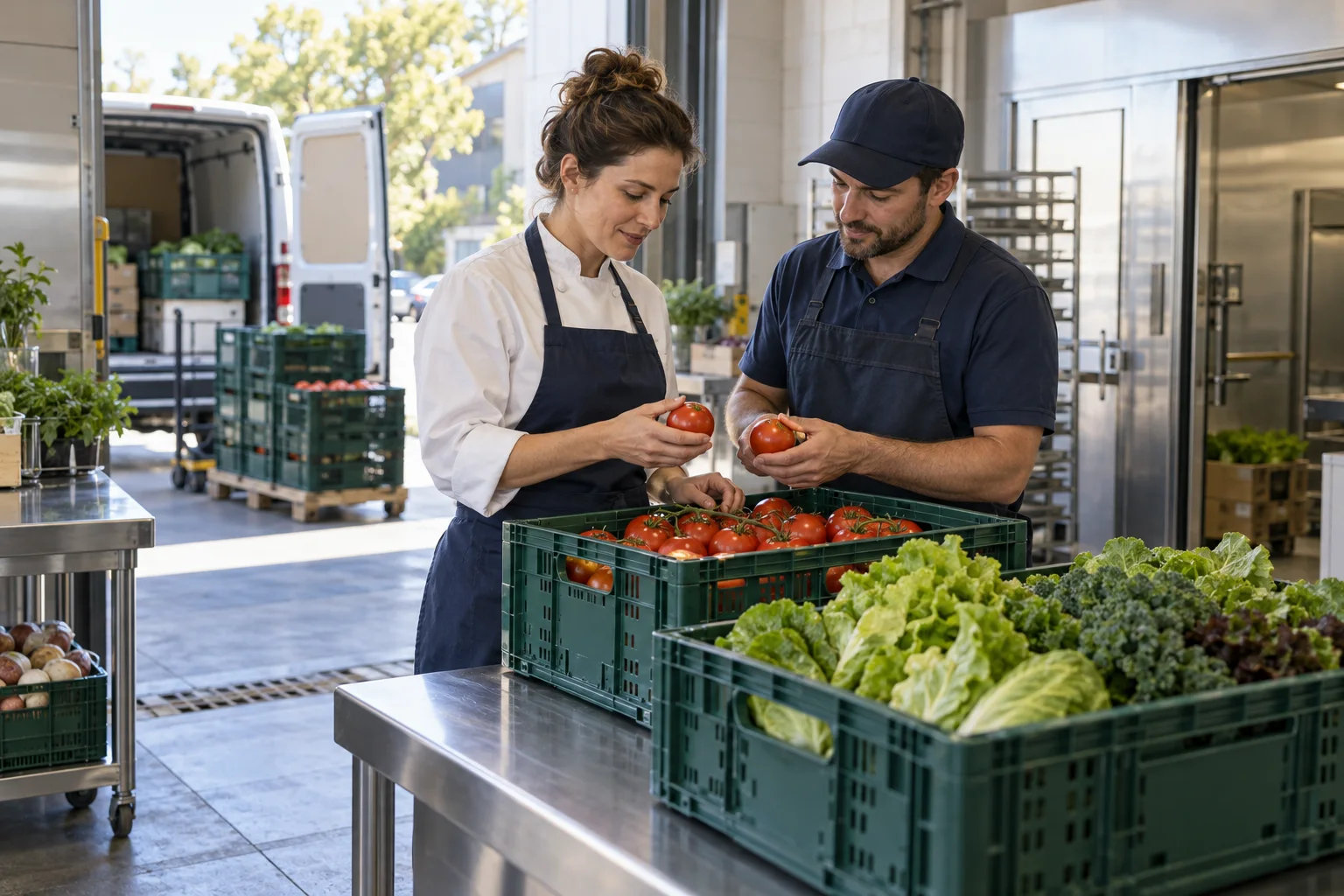
From supplier to service

Every delivery starts the next step.

Connect what arrives at your kitchen with purchasing, stock and the recipes your team prepares.

Explore purchasing and receiving →
Chef and delivery worker checking fresh produce at a kitchen receiving bay. AI-generated illustrative scene.
Goods receiptFrom delivery to kitchen
Illustrative kitchen scene · AI-generated
From fragmented admin to one operating system

The same kitchen data should not be rebuilt for every task.

Cost Essentials connects the source records behind recipes, purchasing, receiving, inventory and food safety, so teams can move through the operation without passing the same information between spreadsheets and disconnected tools.

01
Structure once

Build ingredients, supplier articles, units and recipes on one shared operational foundation.

02
Use everywhere

Reuse the same records in costing, ordering, receiving and inventory instead of duplicating source data.

03
Review in context

Keep organisation, location, outlet and review status visible where operational decisions are made.

Platform

Built around how professional kitchens actually operate.

Start with the workflows teams use every day and connect them through one shared data foundation.

Supplier sourceArticle · pack · unit
Ingredient identityCompare the relationship
Supplier articleIngredient relationship
Pack & unitSource recordIngredient link

Keep uncertainty visible.

Connected records
RecipesPurchasingInventory
Workflow illustration · human review stays in control
Review in context

Make uncertainty visible.

An incomplete product relationship should prompt a review. Let the right person confirm the source data before relying on it in connected workflows.

Explore data quality →
Built for different operating models

One platform core. Different foodservice structures.

Switch between common operating models and see how Cost Essentials keeps the organisational context explicit.

Restaurants

One kitchen operation, one connected daily workflow.

Connect recipes, purchasing, receiving and stock around the restaurant kitchen using the same source data.

View this industry →
Restaurant kitchen
RecipesPurchasingReceivingInventory
Industries

One core. Configured for your operation.

Restaurants, hotels, multi-location groups, caterers and central production operations use the same platform foundation, with the workflows and context that fit their structure.

Simple pricing
€89 per outlet / month, ex. VAT

All modules. Unlimited users. No hidden module fees.

€979 / year — 1 month free€1,869 / 2 years — 3 months freeView pricing
Frequently asked questions

Practical questions from foodservice teams.

Can Cost Essentials manage recipes and food cost?

Yes. Recipes, yields, ingredients, supplier articles and costing belong to the same connected data foundation.

Can multiple outlets use the same platform?

Yes. Cost Essentials is structured around organisations, locations and outlets so operational context can be kept explicit.

Does purchasing connect to receiving?

Yes. Purchase orders and goods receiving are designed as connected workflows using the same supplier-article structure.

Is food safety part of the platform?

Yes. Cost Essentials currently includes structured HACCP-related data connected to ingredients, supplier articles and recipes, providing the foundation for broader food-safety workflows.

Are modules priced separately?

No. The current pricing model is all-in: all core modules are included, with unlimited users. See the pricing page for outlet pricing and contract options.

How can we explore our own kitchen workflow?

Request a demo focused on your recipes, suppliers, purchasing, stock and outlet structure. We will clarify the workflows available today and the development roadmap.

See it in your own operating context

Start with the workflows your team already manages every day.

A Cost Essentials demo can focus on your recipes, suppliers, purchasing, receiving, inventory structure and outlet model instead of walking through generic software screens.

Request a demoView pricing

Product detail

Demo interface · fictional data. Zoom in and scroll to inspect the details.